Demo: Building a Multi-Timer App with Figma Make
This is an early application I created with Figma Make that was used in my courses and other scenarios. This is a simple single-page app and does not have any complex features. So, the process is focusing more on details in interactions. The app is available to use. Please check it out here: https://multi-timer.figma.site/
v1 - Init the project
Prompt Used:
make a responsive multi timer that I can start and configure multiple timers. and they can run at the same time.
This is what I got after the first prompt. It is a very basic timer. User can add multiple timers. But now, they cannot edit an existing timer. I will implement this in future versions.
v2 - Add Sound Play Feature
Prompt Used:
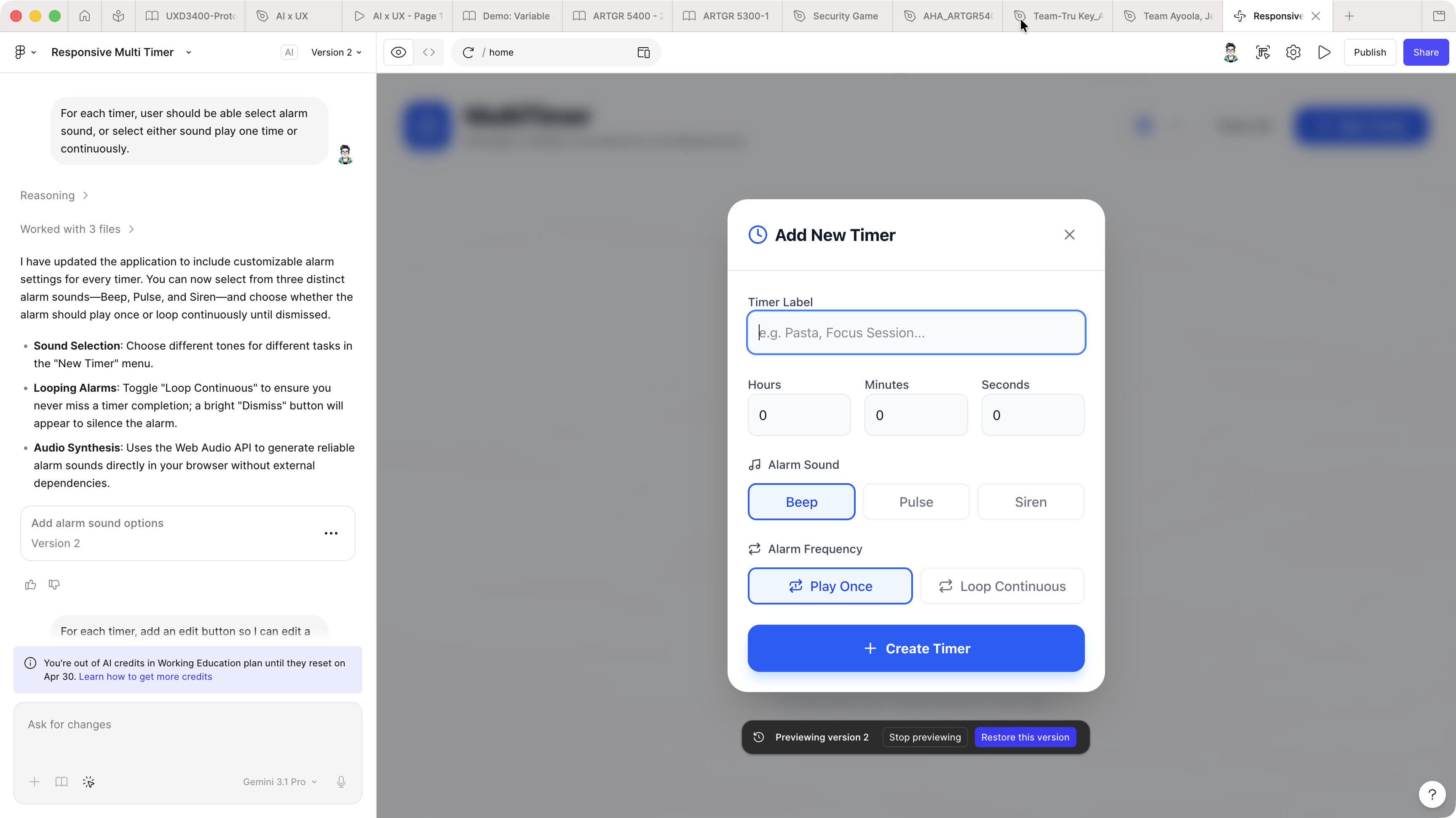
For each timer, user should be able select alarm sound, or select either sound play one time or continuously.
This feature allows users to configure how the sound is played. This is what I got after adding sound:
v3 - Add Edit Feature
Prompt Used:
For each timer, add an edit button so I can edit a timer. Also, looping is not working. Sound only plays once.
The edit feature allows users to modify existing timers now. After testing, there is a small issue with the looping functionality, so I told Figma Make the issue. Now, the app is more usable.
v4 - Set Reminder before Timer Ends
Prompt Used:
in the time editor, user should be able to set one or multiple reminders X minutes or seconds before the timer ends. When the timer have X duration left, the color of the timer changed to a color set by the user and play the sound once.
With this feature, users can set multiple reminders before the timer ends. This is useful when the timer is set for a long time. So that users can have a heads up before the timer ends. This feature is a little more complex than others. So, the description should be very clear and logical.
v5 - add reminder picker
Prompt Used:
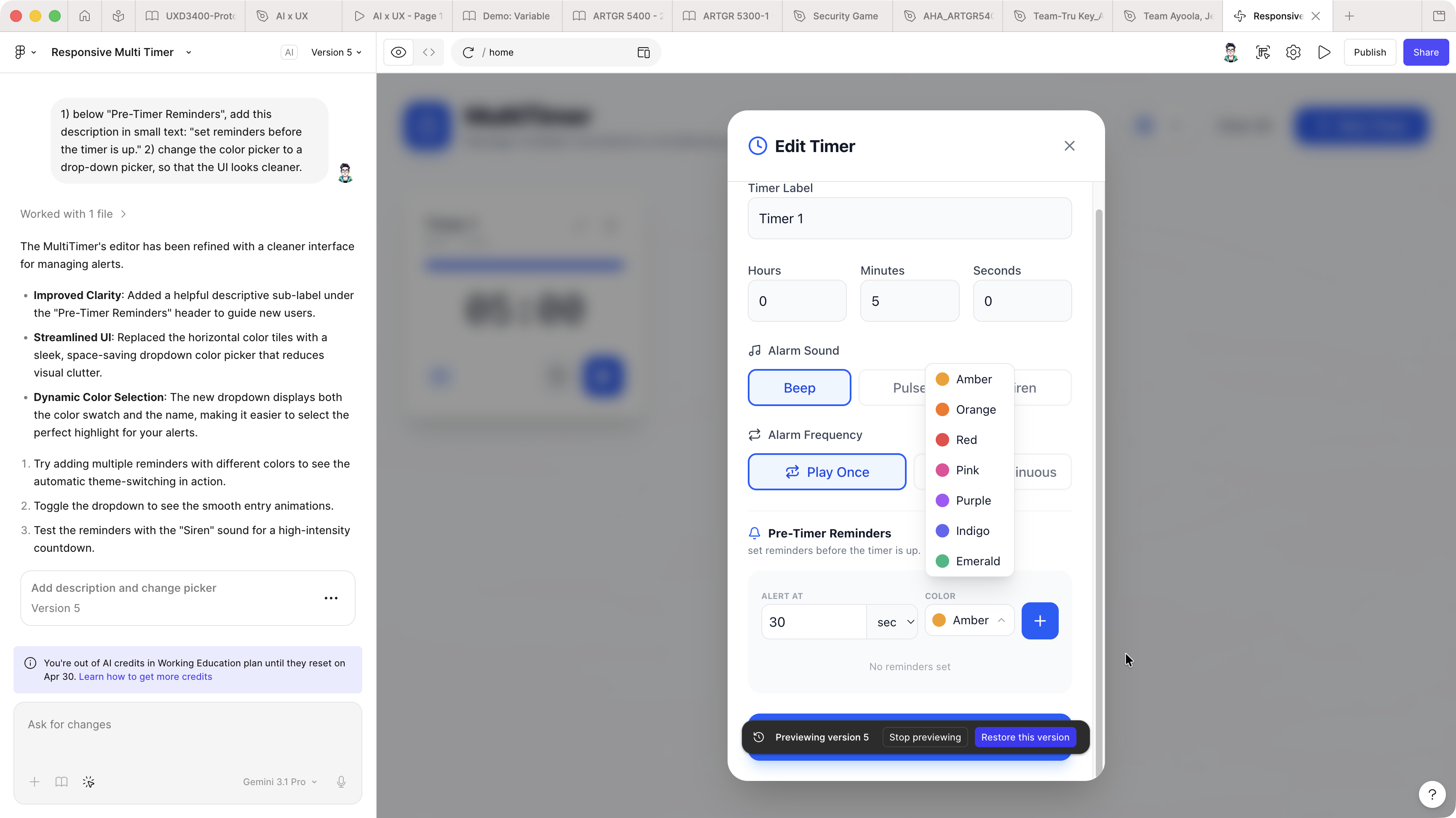
Do following two tasks: 1) below "Pre-Timer Reminders", add this description in small text: "set reminders before the timer is up." 2) change the color picker to a drop-down picker, so that the UI looks cleaner. (above v5-add-reminder-picker.png)
This is a small update to make the setting UI more user-friendly.
v6 - debug speed
Context
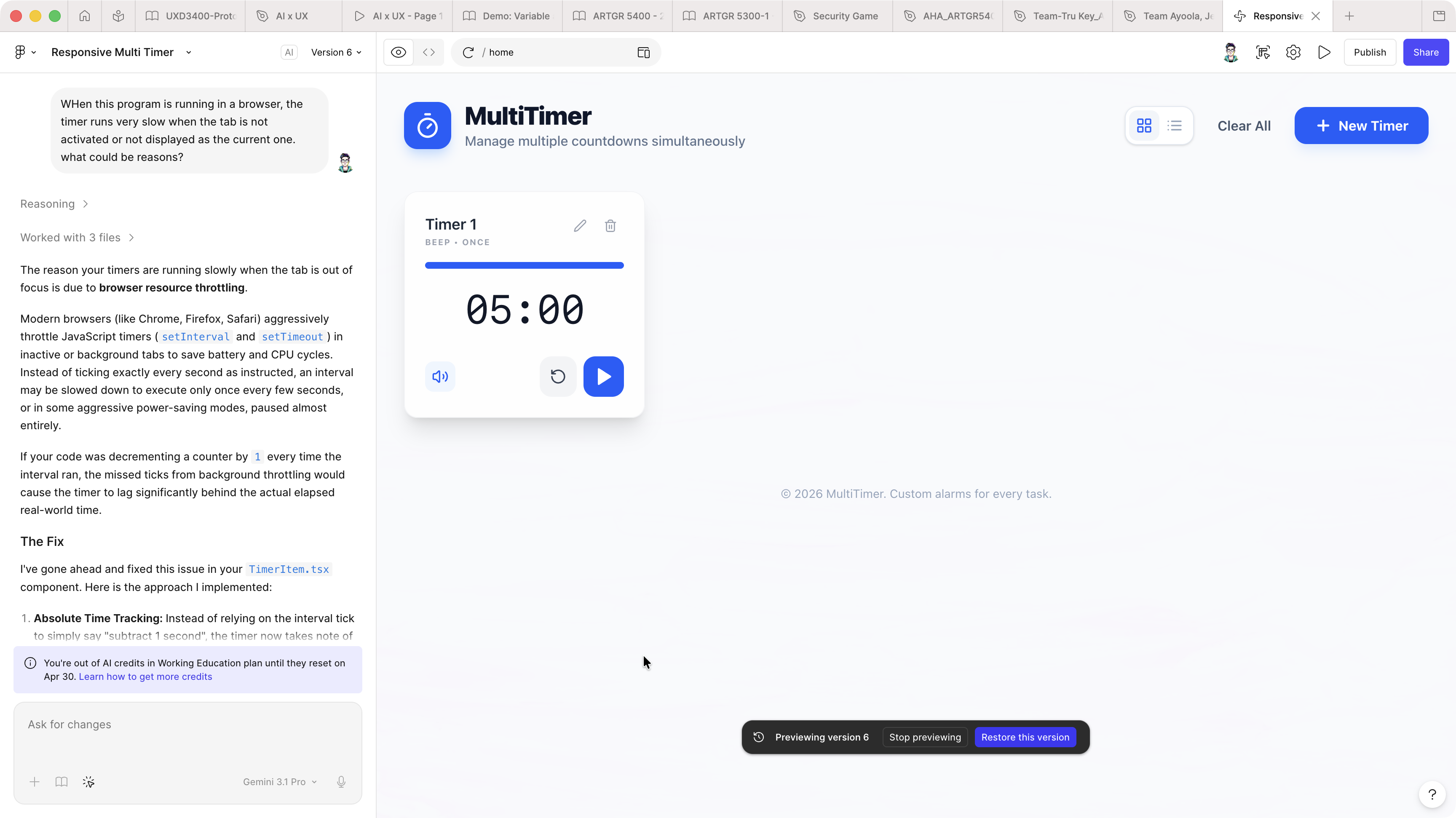
I found this bug after the first use. During a presentation, I noticed that the timer runs very slow when the tab in a browser that is inactive. So in this version, I asked Figma Make to find reasons and fix it.
Prompt Used:
When this program is running in a browser, the timer runs very slow when the tab is not activated or not displayed as the current one. what could be reasons?
v7 - Add Custom Sounds
The system sound for the alarms are does not sounds good. So, I was thinking about adding other sounds. Because I didn't know how to do this. So, I asked first:
I am going to add better sounds to this app. what audio format is best? Where can I find such files?
can I add custom audio files to Figma Make projects? (above v7-add-custom-sounds.mp4)
During the time of this project was done, "Figma Make does not support uploading or importing custom audio files." So, I uploaded the audios I found to an online storage and passed them to Figma Make.
Use following audio for the pre-timer reminder: https://game.aaronyang.me/public-sounds/universfield-new-notification-048-494235.mp3 Use this one for the final timer reminder: https://game.aaronyang.me/public-sounds/universfield-ringtone-089-496413.mp3
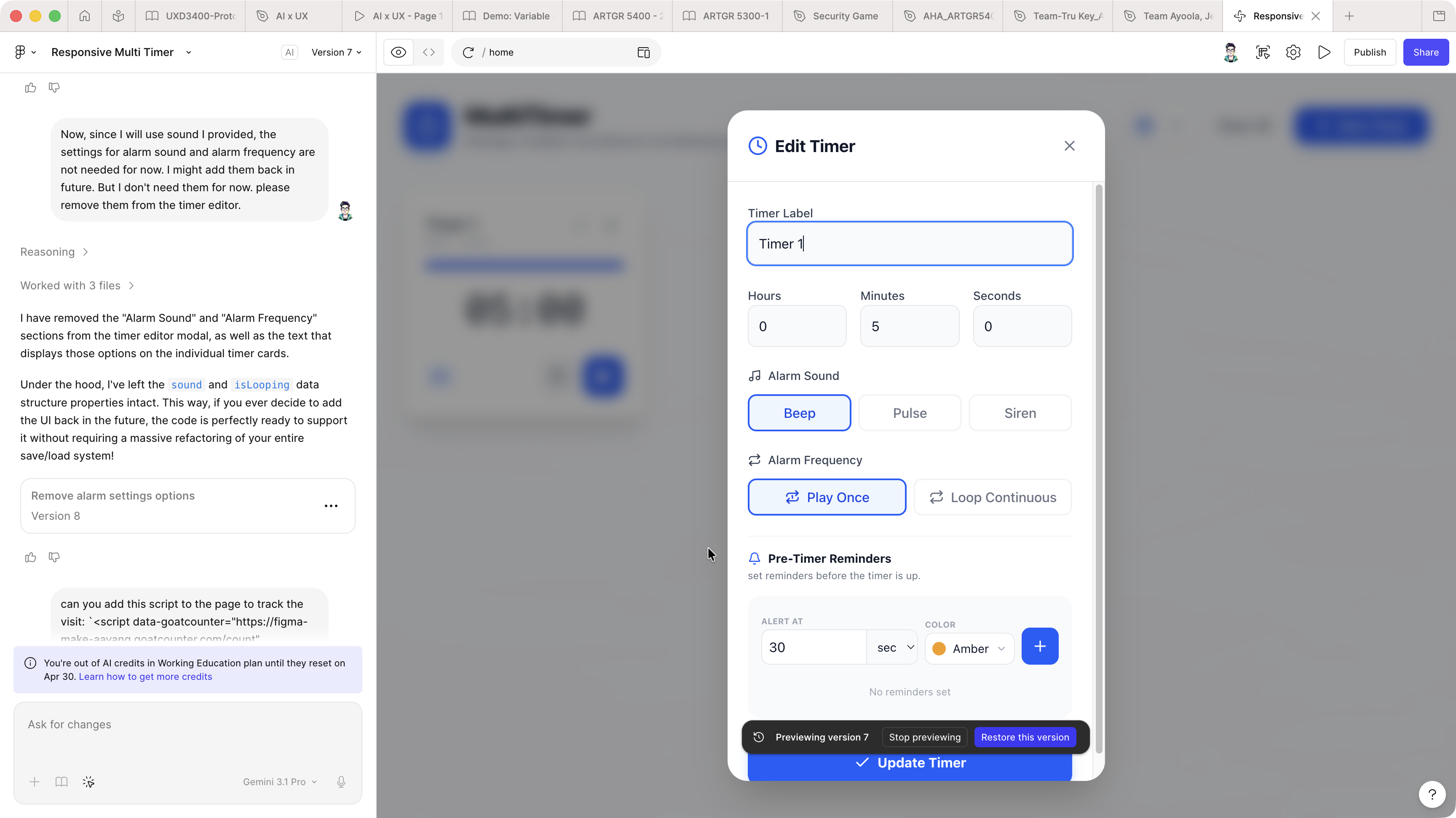
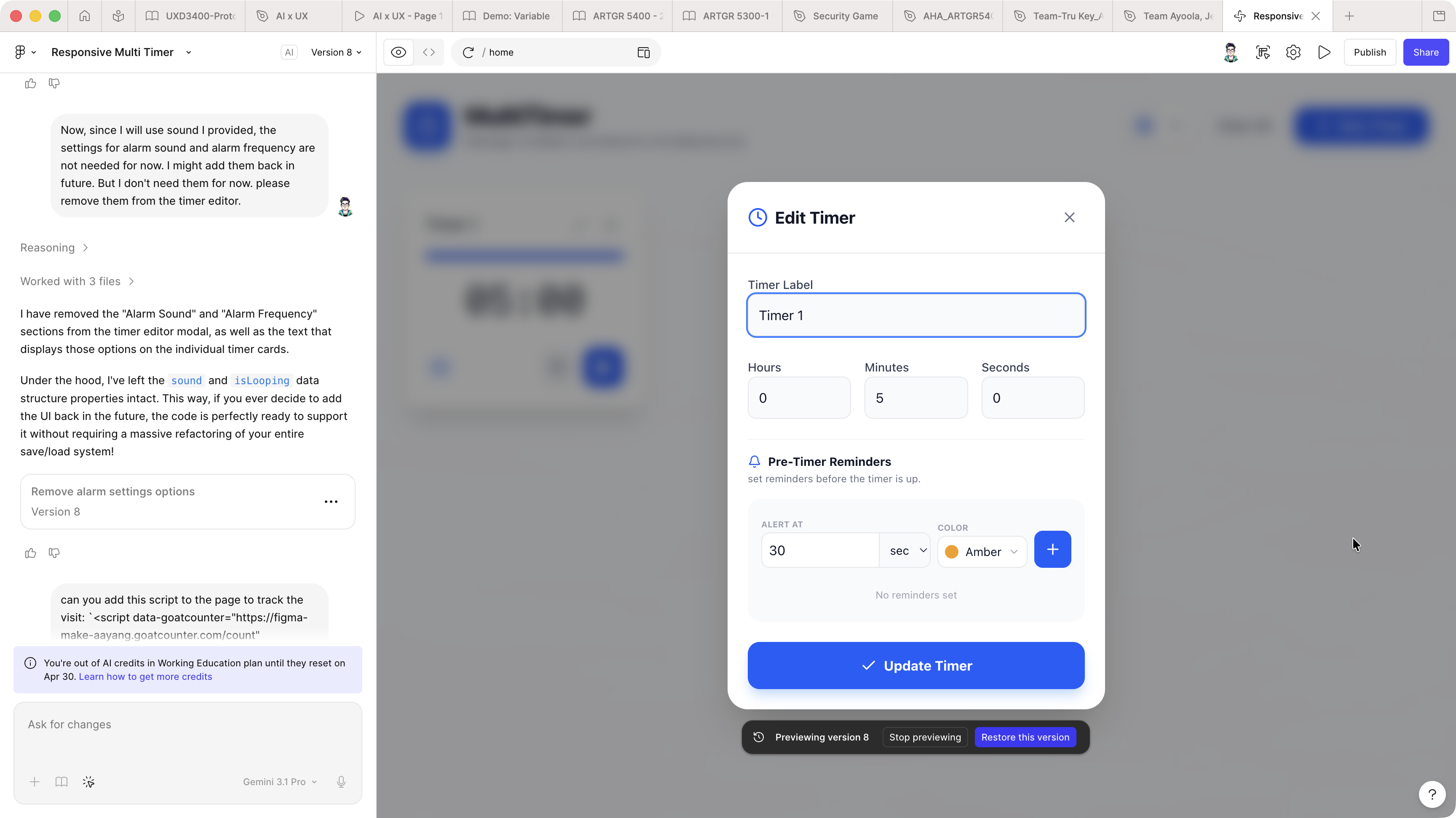
Another update on the design: alarm sound frequency setting was removed.
Now, since I will use sound I provided, the settings for alarm sound and alarm frequency are not needed for now. I might add them back in future. But I don't need them for now. please remove them from the timer editor.